GDPR Compliance Audit Checklist 2026: Website Audit Guide
Need to review whether your website is GDPR-ready in 2026? This practical guide walks through a clear 7-step GDPR website audit covering cookies, consent, privacy notices, third-party tools, user rights, audit documentation, and technical evidence.
TL;DR: Use this page as a manual GDPR website audit checklist. A manual checklist helps you review what should be checked. A behavior-based website audit can help identify what your site actually loads, stores, and sends during real visits.
This checklist is for educational and audit-preparation purposes. It is not legal advice. GDPR obligations and legal conclusions should be reviewed with qualified legal or compliance teams.
If you want to compare this checklist against live website behavior, you can also run a GDPR website compliance check or get GDPR checklist now
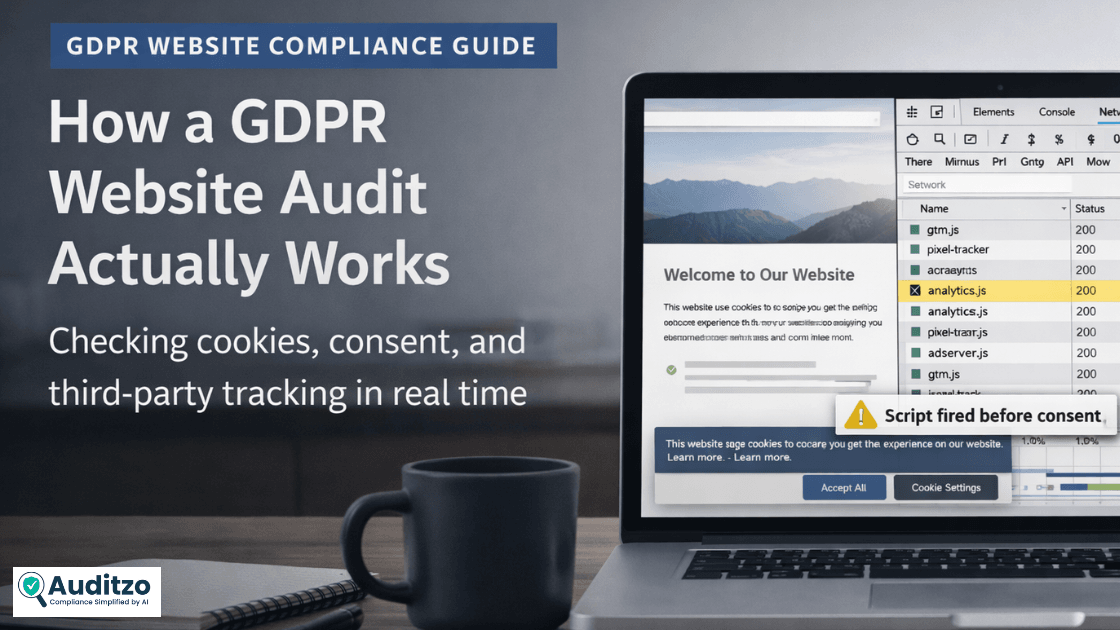
Why GDPR Website Audits Matter in 2026
A GDPR audit is a structured review of how your website collects, processes, and shares personal data. For many teams, the real issue is not only the policy page. It is whether the website’s actual behavior matches what the business believes is happening.
That matters because websites change constantly. New scripts get added, marketing tools are updated, forms evolve, vendors change, tracking pixels are adjusted, and consent tools are reconfigured. A site that looked fine six months ago may behave differently today.
In practice, a GDPR website audit helps you answer 3 important questions:
- What personal data is my website collecting?
- When is that data collected, stored, or transmitted?
- Do our consent, policy, and documentation match what the website actually does?
This matters especially for SaaS, ecommerce, healthcare, edtech, and lead-generation websites where marketing tools, analytics tags, forms, and third-party scripts may change frequently.
Summary: If your website collects data from EU or UK visitors, a GDPR audit can help reduce legal, reputational, and operational risk by identifying gaps that should be reviewed by the right teams.
Note: A GDPR audit is rarely a one-time task. It is most useful when repeated after major releases, marketing changes, new third-party integrations, analytics updates, or consent-banner changes.
What Is a GDPR Compliance Audit?
A GDPR compliance audit is a structured review of how your website or business handles personal data. The goal is to identify gaps between:
- what your website actually does,
- what your privacy and consent layers say, and
- what your business can document if reviewed.
A strong website GDPR audit usually covers:
- Cookie consent and tracking behavior
- Privacy policy and legal disclosures
- Consent collection and evidence
- Third-party tools and processors
- Forms, pixels, analytics, chat tools, and embedded scripts
- User rights handling
- Audit records and remediation planning
Who Needs to Run a GDPR Audit?
If any of the following applies to you, regular GDPR reviews are worth doing:
- Your website collects names, emails, phone numbers, account details, or form submissions
- You use analytics, pixels, chat tools, CRMs, advertising tags, or marketing automation
- You serve users in the EU or UK
- You run a SaaS, ecommerce, healthcare, edtech, marketplace, or lead-generation website
- Your marketing, product, or engineering team frequently adds new website tools
Even if your business is based outside Europe, GDPR may still matter if your users are inside it. Applicability should be reviewed with legal or compliance advisors.
How to Conduct a Website GDPR Audit in 2026
Quick GDPR Audit Checklist Overview
- Cookie consent: Review whether non-essential tracking is delayed until appropriate consent is captured.
- Privacy policy: Check whether disclosures match actual data collection, third-party tools, and stated lawful basis.
- Consent records: Review whether consent choices, timestamps, categories, and banner versions can be documented.
- Third-party scripts: Review vendors, tracking pixels, analytics tools, data flows, and cross-border transfer considerations.
- User rights handling: Check whether access, deletion, correction, and portability workflows exist in practice.
- Audit documentation: Record findings, affected pages, evidence, owners, remediation status, and next review date.
Practical note: A checklist is useful for structure, but it should be supported by technical evidence where possible. Screenshots, request observations, cookie records, and vendor inventories can help teams review what the website actually did during testing.
Want a reusable checklist? Use the GDPR audit checklist or organize your review with a GDPR checklist Excel template.
1. Identify All Data Collection Points
Start by mapping every place where your website collects or processes personal data.
- Signup and contact forms
- Newsletter and lead-generation forms
- Checkout or account registration flows
- Cookies, local storage, and browser storage
- Analytics tools, advertising pixels, CRMs, chat widgets, and embedded scripts
- Third-party domains receiving requests from the browser
Quick clarity: In website audits, personal data is not limited to form fields. IP addresses, cookie IDs, device identifiers, advertising IDs, session identifiers, and similar identifiers may also matter depending on context and use.
Practical tip: Begin with a simple inventory. List every script, form, tracker, pixel, embedded service, and third-party domain that may touch user data. That inventory makes the rest of the audit much easier.
2. Evaluate Cookie Consent Mechanism
Your cookie consent flow should answer 3 basic questions:
- Are non-essential scripts blocked before consent?
- Can users make a real choice between categories such as analytics, marketing, and personalization?
- Are those choices recorded in a way your team can review later?
Just having a banner is not enough. If non-essential tracking fires before a user has chosen, the issue is behavioral, not cosmetic.
Why this matters: In real audits, consent timing is often assessed by what loads on first visit, not only by what the banner claims.
Higher-Risk vs Better Consent Practices to Review
Consent requirements can depend on context, jurisdiction, and implementation details. Treat these examples as practical review points, not legal conclusions.
- Cookie banner: A passive “by using this site, you accept cookies” message may need review. A better practice is a clear opt-in flow with meaningful choices.
- Consent timing: Scripts firing before a user acts may create risk. A better practice is to delay non-essential scripts until the relevant consent choice is captured.
- Consent proof: No logs or timestamps can create audit-readiness gaps. A better practice is to keep consent choices, time, category, and banner-version context.
Cookie Consent Flow Explained
- User lands on the website
- Consent banner appears with clear choices
- User accepts, rejects, or customizes preferences
- Those preferences are recorded
- Only then should non-essential scripts load where consent is required
Summary: If analytics, advertising, or similar non-essential scripts fire before consent, that may be a GDPR audit concern and should be reviewed by the right legal or compliance team.
For a deeper explanation of banner choices, reject options, consent timing, and dark-pattern risks, review these GDPR cookie consent rules.
If cookies and tracking behavior are your main concern, use this cookie audit checklist alongside your GDPR review.
3. Review Privacy Policy and Legal Pages
Your privacy policy should reflect what your website actually does, not what a template once said.
Review whether it clearly explains:
- What personal data is collected
- Why it is collected
- The lawful basis being relied on
- How long data is retained
- Which third parties receive data
- How users can make data-related requests
Why lawful basis matters: The lawful basis you disclose should align with the real behavior of the website. For example, consent-based tracking should not be described as if it were strictly necessary.
Policy-to-behavior check: If your website sends requests to analytics, advertising, chat, CRM, or embedded third-party tools, confirm that your privacy notice reflects those tools and the related processing activities where appropriate.
4. Assess Consent Collection and Proof
Consent is not just about the banner. It is also about whether you can show what happened later.
Check whether you can demonstrate:
- When consent was collected
- What categories were accepted or rejected
- Whether users can withdraw consent easily
- Which banner or policy version was active at the time
- Whether consent state matches script behavior during testing
Audit detail that often matters: Consent records are most useful when they include timestamps, selected preferences, category details, and enough context for internal review later.
If you are documenting consent records, review decisions, and remediation history, use a GDPR audit log retention template to keep evidence organized over time.
5. Check Data Access, Portability, and Deletion Rights
GDPR gives users important rights around their personal data. Your audit should confirm that those rights are operational, not just mentioned in a policy.
Review whether your business can handle:
- Access requests
- Deletion requests
- Portability requests
- Correction requests where relevant
- Consent withdrawal where relevant
Ask practical questions such as:
- Do you have a working intake process?
- Is ownership clear internally?
- Can requests be handled within required timelines?
- Are backups, logs, analytics tools, CRMs, and third-party systems considered?
Summary: Many businesses mention user rights, but struggle when a real request arrives. That gap often shows up during audits.
6. Review Third-Party Tools and Data Processors
Most websites rely on third-party services. That is where a lot of GDPR risk and complexity comes from.
Review every tool that may process or receive user data, such as:
- Analytics platforms
- Advertising and marketing pixels
- CRM and automation tools
- Chat, support, and session tools
- Embedded content and social integrations
- Tag managers and scripts added by marketing or product teams
Common misconception: A popular vendor is not automatically low-risk by default. Configuration, consent timing, data destinations, contracts, and documentation all matter.
Checklist:
- Do you know what data each vendor receives?
- Do you know when each script or pixel fires?
- Do you have the right contractual documentation where needed?
- Are international transfers documented where relevant?
- Do the disclosures in your policy match the real behavior of the site?
This is where many fast-growing teams lose visibility: vendors are added for growth, support, analytics, or advertising, but the privacy policy and consent setup may not be updated at the same pace.
For a broader review of scripts, pixels, analytics tools, and third-party requests, see Auditzo’s guide to website tracking compliance.
What Evidence Should You Collect During a GDPR Website Audit?
A GDPR checklist tells you what to review. Evidence helps your team understand what actually happened during testing.
Useful evidence may include:
- Page tested: URL, test date, test location, browser, and consent state
- Cookie evidence: cookies or browser storage created before and after consent choices
- Consent evidence: screenshots of banner states, selected preferences, timestamps, and category choices
- Network evidence: third-party requests observed before and after consent
- Script evidence: analytics, ad pixels, chat widgets, tag managers, and embedded services loaded on the page
- Policy evidence: notes showing whether vendors found in testing are disclosed in the privacy policy
- Remediation evidence: screenshots, notes, or retest observations after changes are made
This evidence can help internal, legal, or compliance teams review whether website behavior aligns with stated consent and privacy disclosures. It should not be treated as a legal conclusion by itself.
If your team needs to understand what evidence may support an audit review, read this guide on valid digital evidence for GDPR audits.
7. Document Everything in an Audit Report
No GDPR audit is complete without documentation. If you cannot show what you reviewed, what you found, and what you fixed, the audit remains incomplete.
Your report should record:
- Scope of the review
- Pages and flows audited
- Findings by severity or status
- Evidence such as screenshots, notes, cookie observations, or network request observations
- Tools, scripts, pixels, or vendors involved
- Remediation actions
- Responsible owners and next review date
A practical GDPR audit report should usually include:
- Finding: What was observed?
- Affected page: Where was it found?
- Evidence: What screenshot, cookie record, request observation, or note supports the finding?
- Status: Open, under review, remediated, or retest needed
- Owner: Legal, compliance, marketing, product, development, or vendor team
- Next step: What should be reviewed or fixed?
Summary: Clear documentation is not admin overhead. It is part of being audit-ready.
To see how findings, evidence, affected pages, and remediation notes can be presented, view this sample website privacy compliance audit report.
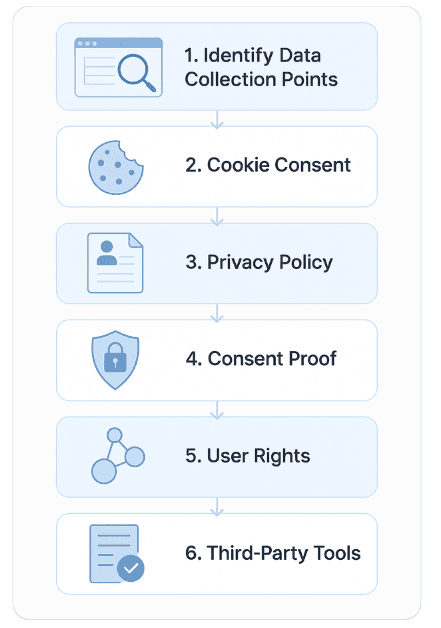
What Reviewers May Look For in a GDPR Website Audit
In practical terms, GDPR audit readiness often depends on consistency across three things:
- What the website actually does during normal use
- What the policy, banner, and disclosures say
- What the business can document later
That usually means paying attention to:
- Tracking behavior on first visit
- Consent timing and proof
- Third-party scripts, pixels, vendors, and data-sharing signals
- User rights workflows
- Internal documentation and remediation records
Summary: A GDPR audit is more useful when behavior, documentation, and governance line up. Technical evidence can help teams review that alignment more clearly.
Sample Use Case: NeoClinic GDPR Website Review
NeoClinic GDPR website review shows how a healthcare SaaS company operating in Germany used Auditzo to review GDPR-related website issues including:
- Analytics firing before consent
- Incomplete privacy notice coverage
- Missing or weak consent records
The result was a clearer internal review process and a more structured remediation plan for legal and compliance stakeholders.
Common GDPR Website Audit Gaps and Evidence Signals
Most GDPR audit concerns are not complicated legal theory. They are often implementation gaps that become visible when website behavior is reviewed carefully.
- Tracking before consent: Evidence may include analytics, ad, or pixel requests firing before a banner choice is made.
- Weak banner design: Evidence may include screenshots showing unclear choices, missing reject options, or limited category controls.
- No consent evidence: Evidence may include missing timestamps, category choices, or banner-version records.
- Privacy policy mismatch: Evidence may include vendors found in network requests but not disclosed in the policy.
- Untracked third parties: Evidence may include scripts, pixels, or embedded tools added over time without internal review.
- User rights gaps: Evidence may include stated rights in the policy but no clear operational intake or ownership process.
Summary: A good audit should not only list issues. It should show what was observed, where it was observed, and what should be reviewed next.
Manual GDPR Checklist vs Real Website Behavior
A manual checklist is useful for reviewing policies, consent flows, internal ownership, and audit documentation. But it may not show what your website actually does during live visits.
For example, a policy may mention analytics only after consent, while the website may still load analytics requests before the visitor makes a choice. A consent tool may appear correctly configured, while a tag manager or marketing pixel behaves differently on specific pages.
That is why a strong GDPR audit combines:
- Checklist review: What should be checked?
- Behavior review: What does the website actually load, store, or send?
- Evidence review: What screenshots, request observations, cookie records, or report notes support the finding?
- Remediation review: What should be fixed, retested, or reviewed by legal/compliance teams?
If you need a deeper review of consent behavior, third-party scripts, tracking signals, and audit documentation, see how Auditzo performs an evidence-backed GDPR compliance audit.
Auditzo helps identify technical evidence of website behavior. Legal conclusions should be reviewed by legal or compliance advisors.
Frequently Asked Questions about GDPR Audits
What is a GDPR audit checklist?
A GDPR audit checklist is a structured list of review points used to check website data collection, cookie consent, privacy notices, third-party tools, user rights, and audit documentation.
How do I audit my website for GDPR?
Start by mapping data collection points, checking cookie consent behavior, reviewing privacy disclosures, documenting consent proof, listing third-party tools, and recording findings in an audit report.
What should a GDPR website audit include?
A GDPR website audit should review forms, cookies, consent timing, tracking scripts, pixels, analytics tools, privacy notices, user rights workflows, third-party vendors, and supporting evidence.
What evidence should I collect during a GDPR audit?
Useful evidence may include screenshots, consent states, cookie records, third-party request observations, page URLs tested, timestamps, vendor lists, and notes on policy-to-behavior mismatches.
Can I use a GDPR audit checklist template or Excel file?
Yes. A template or Excel checklist can help organize review items, owners, status, evidence, and remediation notes. It should be updated as your website tools change.
What should be included in a GDPR audit report?
A GDPR audit report should include scope, pages reviewed, findings, severity or status, supporting evidence, affected tools or scripts, recommended actions, owners, and next review date.
How often should a website GDPR audit be repeated?
A website GDPR audit should be repeated after major website changes, new marketing tools, consent-banner updates, analytics changes, vendor changes, or significant product releases.
Does Auditzo provide legal advice for GDPR compliance?
No. Auditzo provides technical and evidence-backed website audit reports to help identify privacy, tracking, consent, and documentation gaps. Legal conclusions should be reviewed by legal or compliance teams.
Final Thoughts: Make Compliance Work for You
A GDPR audit is not just a box-ticking exercise. It is a way to understand whether your website’s real behavior matches your consent choices, privacy disclosures, third-party tools, and internal expectations.
The most practical habit is simple: review what changes, document what matters, and re-check consent and third-party behavior whenever the website evolves.
If you want to go beyond manual review, start by using the checklist above and then run a GDPR website compliance check to review live website behavior.
Table of Contents
- Why GDPR Website Audits Matter in 2026
- What Is a GDPR Compliance Audit?
- How to Conduct a Website GDPR Audit in 2026
- Quick GDPR Audit Checklist Overview
- 1. Identify All Data Collection Points
- 2. Evaluate Cookie Consent Mechanism
- 3. Review Privacy Policy and Legal Pages
- 4. Assess Consent Collection and Proof
- 5. Check Data Access, Portability, and Deletion Rights
- 6. Review Third-Party Tools and Data Processors
- What Evidence Should You Collect During a GDPR Website Audit?
- 7. Document Everything in an Audit Report
- What Reviewers May Look For in a GDPR Website Audit
- Sample Use Case: NeoClinic GDPR Website Review
- Common GDPR Website Audit Gaps and Evidence Signals
- Manual GDPR Checklist vs Real Website Behavior
- Frequently Asked Questions about GDPR Audits
- Final Thoughts: Make Compliance Work for You