Accessibility Scanner vs Manual Audit: What Website Teams Should Know
Accessibility scanners are useful, but they are not the full audit. Auditzo explains where automated tools help, where they fall short, and why confirmed findings, evidence, remediation ownership, and retest guidance matter for WCAG-oriented accessibility work.
Run a Free Accessibility Scan | Request an Evidence-Backed Accessibility Review | View Sample ADA/WCAG Report | Read Real Estate Accessibility Case Study
The Short Answer
The right question is not whether scanners are good or bad. The better question is what role they play in a serious accessibility review.
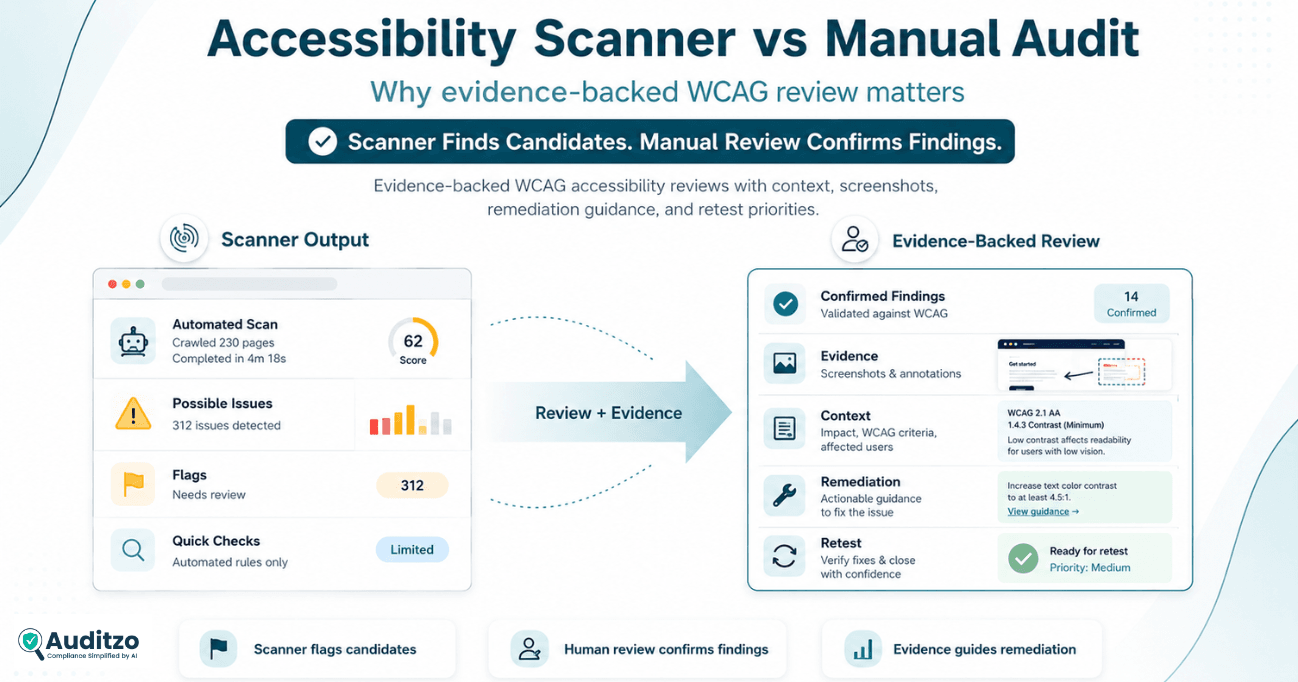
Accessibility scanners are useful for candidate discovery. They can quickly identify common technical patterns that may need review. But scanner output should not automatically be treated as a complete accessibility audit or a final list of confirmed findings.
A manual accessibility audit adds the context that automated tools cannot fully provide: page purpose, component behavior, user journey impact, keyboard interaction, assistive-technology expectations, remediation ownership, and validation guidance.
Automated tools help identify candidates. Human review decides what becomes a reportable finding.
What Accessibility Scanners Are Good At
Automated accessibility scanners can be valuable when they are used as candidate discovery, quality checks, and monitoring inputs — not as the final word on accessibility.
Fast candidate discovery
Scanners can quickly identify missing attributes, contrast candidates, form label issues, heading patterns, and other common signals across a website.
Broad page coverage
Automated checks are useful when reviewing multiple URLs or repeated templates before deeper human verification. They can help teams spot recurring issues across sections of the website.
Repeatable technical checks
Scanners help teams catch recurring issues and monitor whether some known problems reappear after website changes.
Lower initial cost
Scanner-only checks can be a lightweight starting point when a team needs a quick first look before deciding whether deeper review is needed. Auditzo's free website accessibility scanner can be used to check one public webpage for supported automated WCAG 2.2 A/AA-oriented accessibility issues before moving to deeper human review.
Where Automated Accessibility Scanners Fall Short
Scanner reports often need interpretation. A long list of alerts can still leave teams unsure which issues are real, which ones matter most, and how to fix them.
False positives and false negatives
Automated tools can flag issues that need interpretation and can miss issues requiring real interaction, context, or judgment.
Limited journey context
A scanner may not understand whether a user can complete a real task such as submitting a form, navigating a menu, browsing a listing, using a filter, or interacting with an embedded widget.
Weak remediation clarity
Scanner output often says what failed, but not always where the fix belongs, who controls it, or how to validate the update.
Interaction gaps
Keyboard paths, focus behavior, dialogs, menus, carousels, maps, and custom widgets often require manual review.
Limited user-impact explanation
Teams still need to understand why a finding matters for users, not only that an automated rule produced an alert.
Vendor and platform ambiguity
Scanners rarely explain whether an issue is controlled by website content, a shared template, a CMS, custom code, or a third-party vendor.
What a Manual Accessibility Audit Adds
A manual audit should make accessibility findings more useful for real teams: business owners, developers, agencies, product teams, compliance teams, and legal reviewers.
Confirmed findings
Manual review helps separate real reportable issues from raw candidates and noisy scanner alerts.
Evidence references
Screenshots, observations, affected pages, component notes, and reproduction details help teams understand what was actually observed.
Page and journey context
Findings are reviewed in the context of forms, menus, cards, widgets, mobile layouts, and business-critical user flows.
Remediation guidance
A serious audit should help the team understand fix direction, ownership, priority, and retesting expectations.
For the deliverable side of this process, see our accessibility evidence package example, which shows how confirmed findings, screenshots, remediation notes, and retest priorities can be structured for a website team.
Scanner Output vs Evidence-Backed Accessibility Findings
This is the practical difference website teams feel when moving from raw automated output to a reviewed, evidence-backed accessibility report.
| Area | Accessibility scanner | Manual / evidence-backed audit |
|---|---|---|
| Speed | Fast | Slower but deeper |
| Cost | Lower starting cost | Higher, based on scope and evidence needs |
| Output | Flags and candidates | Confirmed findings and observations |
| Context | Limited page and journey context | Page, component, and user-journey context |
| Evidence | Usually limited | Screenshots, observations, reproduction notes, and references |
| False positives | Common | Reduced through review |
| False negatives | Common for interaction and context issues | Reduced through keyboard, focus, semantic, and journey review |
| WCAG mapping | Rule-based and sometimes incomplete | Conservative WCAG-oriented mapping |
| Remediation help | Often generic | Issue-specific guidance and fix direction |
| Ownership notes | Rare | Website, platform, custom-code, or vendor ownership notes |
| Retesting | Usually basic or separate | Selected fixes can be validated after remediation |
Why Context Matters in WCAG-Oriented Reviews
WCAG-oriented accessibility review is not only about detecting code patterns. It is also about understanding how a user experiences a page, component, or journey.
A raw scanner alert may say that an element has a missing label, a contrast issue, or a heading concern. But the team still needs to know:
- where the issue appears;
- whether it affects one page, a repeated component, or a shared template;
- whether the finding affects a business-critical journey;
- whether the problem is content-controlled, platform-controlled, custom-code-controlled, or vendor-controlled;
- what remediation direction is practical;
- how the fix should be validated after updates.
This is why evidence-backed accessibility findings are more useful than scanner output alone.
Examples Scanners May Miss or Under-Explain
Repeated links that look fine visually
A scanner may not fully explain why repeated “Learn More” or image links become unclear when read outside their visual card context.
Keyboard paths through real components
Menus, modals, filters, maps, galleries, and embedded widgets often require manual keyboard and focus review.
Forms that need real interaction
Placeholder-only labels, required-field messaging, errors, and form state changes often need human review.
Mobile and 320px reflow issues
Overlap, clipped content, hidden controls, and layout order issues may appear only at specific viewport sizes.
Third-party widgets and iframes
Widgets may be vendor-controlled, which changes the remediation path and may require vendor coordination or an alternative route.
Visual context and usability barriers
Some issues require judgment about meaning, hierarchy, readability, focus visibility, and user impact.
How Auditzo Combines Automated Discovery and Human Review
Auditzo does not position scanners as useless. That would be wrong. Scanners are part of the process, but they are not the complete review.
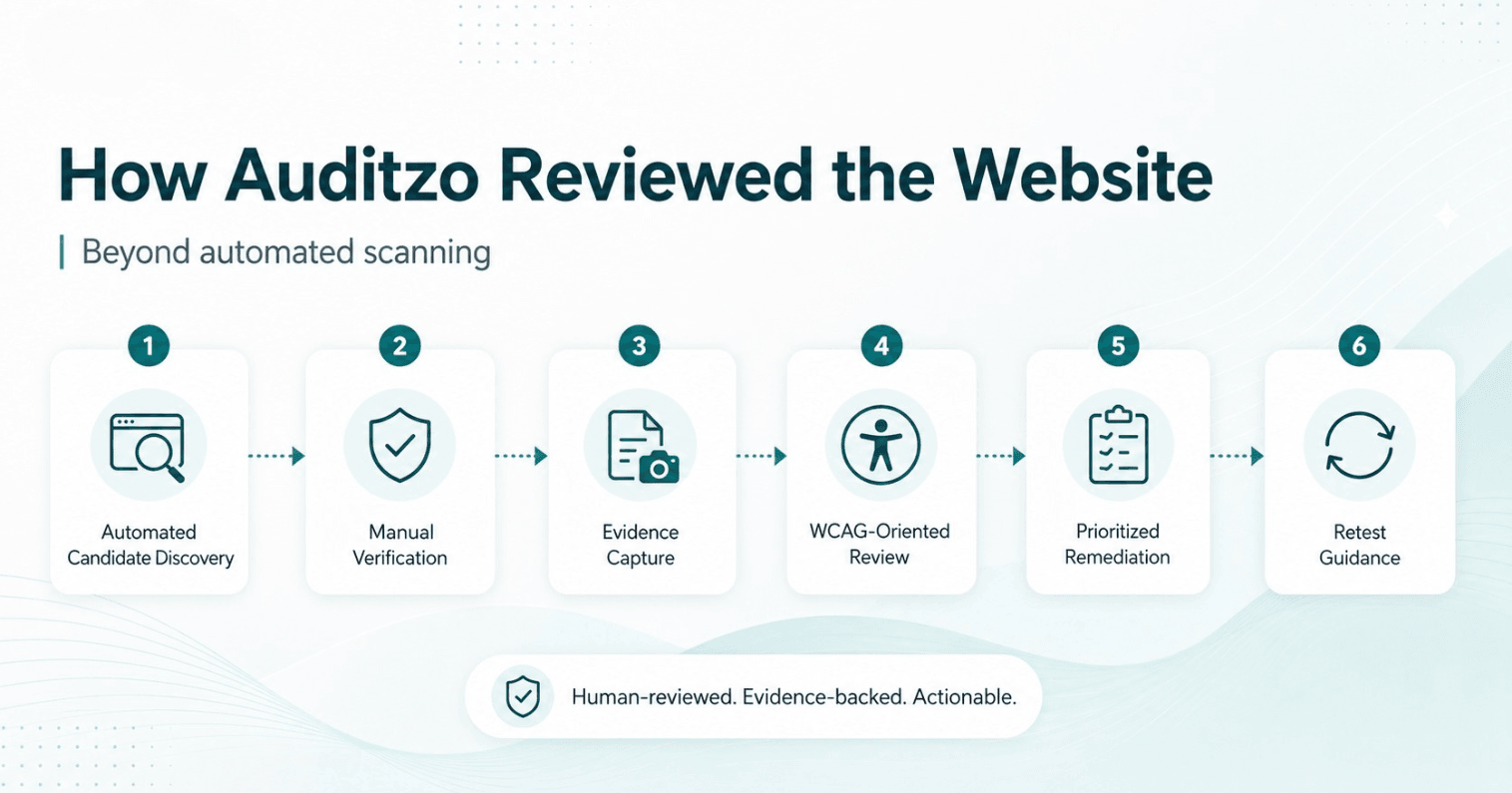
- Scope representative pages and journeys. We identify key pages, templates, forms, navigation paths, components, widgets, and mobile layouts based on the approved scope.
- Run automated candidate discovery. Automated tools help surface likely issues across common technical accessibility patterns.
- Perform human review. We manually review keyboard behavior, focus movement, accessible names, page structure, forms, repeated links, widgets, and responsive behavior.
- Capture supporting evidence. Findings may include screenshots, observations, affected page references, reproduction notes, and component context.
- Separate findings from candidates. We do not treat every scanner alert as a confirmed finding. Human review decides what becomes reportable.
- Deliver remediation and retest guidance. The report explains likely ownership, recommended fix direction, priority, and how selected fixes should be validated.
When a Scanner May Be Enough
A scanner may be enough when the goal is a lightweight first pass or internal hygiene check.
- You need a quick first look at obvious technical candidates.
- You are checking a small set of known issues after minor content updates.
- You are doing internal hygiene before a deeper review.
- You understand that the output is not a complete accessibility audit.
- You do not need evidence, remediation ownership, or manual validation yet.
Want a quick first pass? Run Auditzo's free accessibility scan on a public webpage. The automated result is a starting point and should not be treated as a complete WCAG or ADA compliance determination.
When You Need a Manual Accessibility Review
A manual review becomes more important when the website supports meaningful business, customer, or legal-review journeys.
- The website supports important user journeys such as forms, checkout, bookings, portals, listings, or applications.
- You need confirmed findings instead of raw alerts.
- You need screenshots, observations, reproduction notes, or evidence references.
- You need WCAG-oriented mapping reviewed conservatively.
- You need to understand whether issues are content-controlled, template-controlled, platform-controlled, custom-code-controlled, or vendor-controlled.
- You need developer-ready remediation guidance and retest priorities.
- You are preparing for accessibility remediation, stakeholder review, or legal/privacy team review.
What You Should Receive from a Serious Accessibility Audit
A serious accessibility audit should help your team move from “we have a list of issues” to “we understand what to fix, why it matters, and how to verify progress.”
- Clear scope and methodology: pages, journeys, devices, tools, and review approach should be described so the report is understandable.
- Prioritized findings: findings should be organized by severity, user impact, affected areas, and remediation priority.
- Evidence references: screenshots, observations, component details, or reproduction steps should support the finding where appropriate.
- Technical context: teams should understand what was observed, where it appears, and how it relates to a WCAG-oriented issue.
- Remediation guidance: the output should help teams move from findings to practical fixes, not just collect a list of alerts.
- Retest priorities: selected updates should be validated after remediation, especially for keyboard, focus, forms, responsive layouts, and widgets.
How This Applies to Wix, Real Estate, and Other Websites
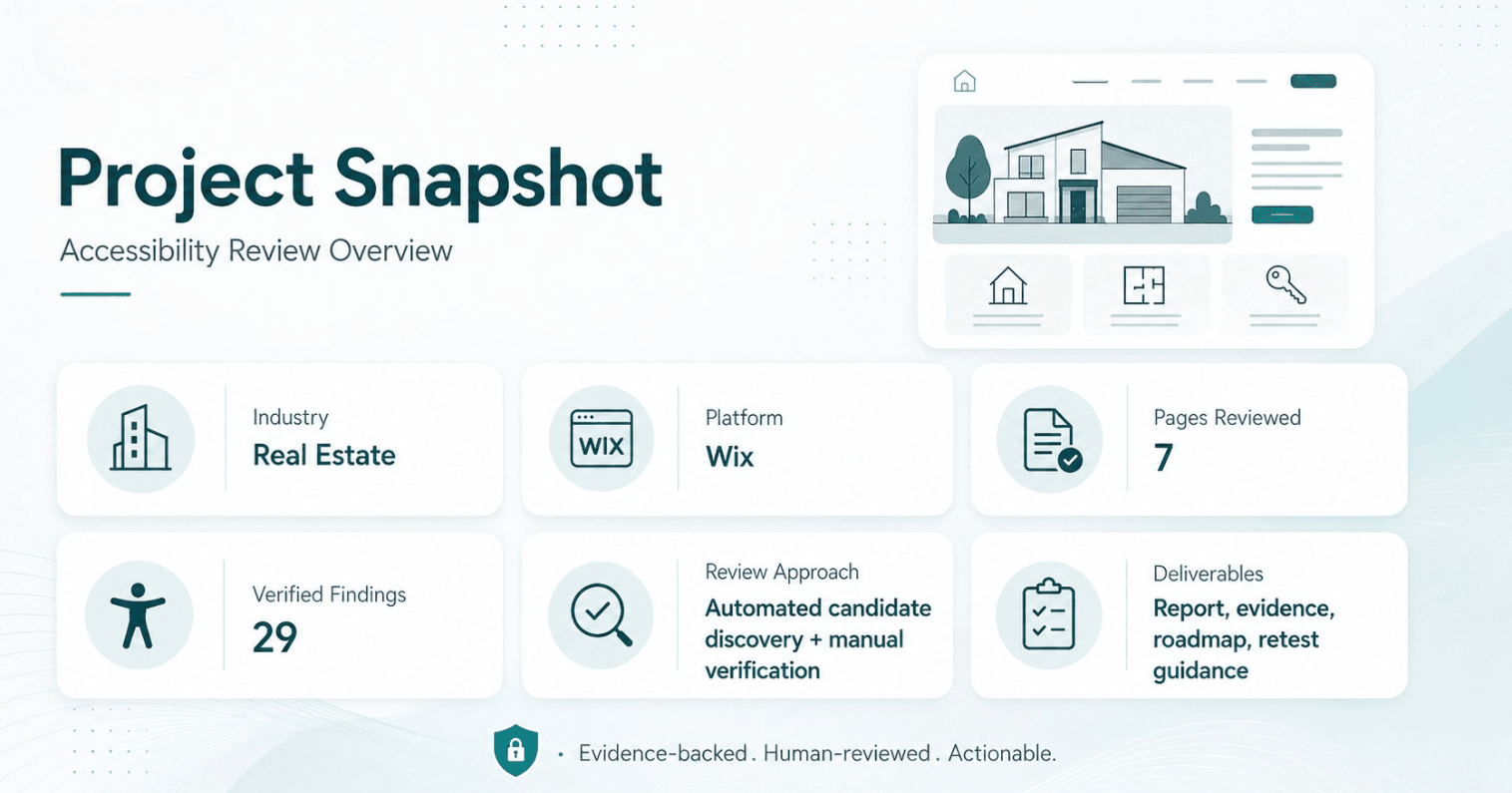
The scanner-vs-manual question becomes more important when a website uses templates, apps, embedded widgets, forms, maps, cards, galleries, mobile layouts, or third-party tools.
- For a quick automated first look, run the free website accessibility scanner.
- For a broader technical review, see the WCAG-oriented website accessibility audit.
- For Wix websites, see the Wix accessibility audit.
- For property, builder, brokerage, and listing websites, see the real estate website accessibility audit.
- For teams that already have findings and need help fixing or validating them, see accessibility remediation support.
- To preview Auditzo’s report structure, review the accessibility audit sample report.
- To see a real proof asset, read the real estate accessibility evidence review case study.
Request an Evidence-Backed Accessibility Review
If your team needs more than a scanner score, Auditzo can review representative pages and journeys, confirm accessibility findings, capture supporting evidence, identify likely fix ownership, and provide remediation and retest guidance.
Run a Free Accessibility Scan | Request an Evidence-Backed Accessibility Review | View Sample ADA/WCAG Report
Important Scope Note
Auditzo provides technical accessibility observations, supporting evidence, remediation-oriented guidance, and retest priorities.
This guide does not provide legal advice, ADA certification, WCAG certification, or a guarantee of legal or technical compliance.
Automated scanner results should be treated as candidate discovery unless they are reviewed and confirmed in context.
Legal interpretation should be handled by qualified legal counsel.
Frequently Asked Questions
Are accessibility scanners useful?
Yes. Accessibility scanners are useful for quick candidate discovery and repeatable checks. They are a helpful starting point, but they do not replace human review for context, evidence, user journeys, remediation ownership, and retesting.
Can an automated scanner find every WCAG issue?
No. Automated tools can miss issues that require human judgment, keyboard interaction, focus review, form testing, responsive layout review, or evaluation of real user journeys and third-party widgets.
What does a manual accessibility audit add?
A manual accessibility audit adds confirmed findings, page and component context, screenshots or evidence references, user-impact notes, WCAG-oriented mapping, remediation guidance, fix ownership notes, and retest priorities.
Is scanner output the same as an accessibility audit?
No. Scanner output is usually a list of automated findings or candidates. A serious audit should review the candidates, confirm real issues, explain context, provide evidence, and help teams understand remediation and validation.
Why do scanners produce false positives?
Scanners apply automated rules without always understanding page context, component behavior, user intent, or the actual interaction path. Human review helps determine whether a candidate is truly reportable.
Why do scanners miss some accessibility issues?
Some issues require interaction, judgment, or context. Examples include keyboard traps, unclear repeated links, form behavior, focus visibility, mobile reflow problems, modal behavior, widgets, and dynamic content states.
When is a scanner enough?
A scanner may be enough for a quick first look, basic internal hygiene, or repeat checks for known issues. It is not enough when you need confirmed findings, evidence, user journey review, remediation guidance, or retest planning.
When should we request a manual accessibility review?
Request a manual review when your website supports important journeys, when you need evidence-backed findings, or when your team needs help understanding priority, ownership, remediation direction, and retesting.
How does Auditzo use automated tools?
Auditzo uses automated tools for candidate discovery, but does not treat every automated alert as a confirmed finding. Human review decides what becomes reportable and how it should be explained.
Is this legal advice or WCAG certification?
No. Auditzo does not provide legal advice, ADA certification, WCAG certification, or a guarantee of compliance. Auditzo provides technical accessibility evidence reviews and remediation-oriented guidance for internal, technical, and legal review.
Table of contents:
- The short answer
- What accessibility scanners are good at
- Where automated scanners fall short
- What a manual accessibility audit adds
- Scanner output vs evidence-backed findings
- Why context matters in WCAG-oriented reviews
- Examples scanners may miss or under-explain
- How Auditzo combines automated discovery and human review
- When a scanner may be enough
- When you need a manual accessibility review
- What you should receive from a serious accessibility audit
- How this applies to Wix, real estate, and other websites
- Request an evidence-backed accessibility review
- Frequently asked questions